

Your Online Bookings are getting a glow-up for 2027.
Your online booking page is often the first part of your salon a new client sees. They find you on Instagram, tap the link, and land on a page that should feel like you. Too often it feels like a generic booking form instead.
Most of those clients are on their phones, too. Small text and small buttons make a two-minute booking feel like a chore.
So we’ve redesigned it with both of those things in mind. Your clients will see the new look from early 2027, but you can jump in now and start making it feel like yours.
What’s changing?
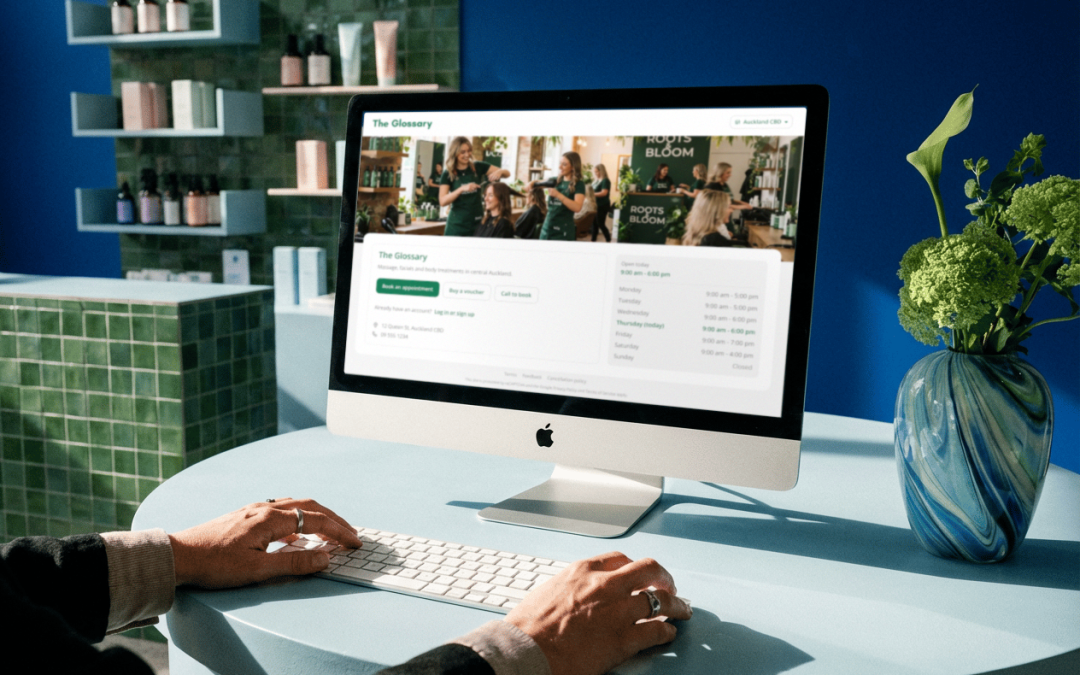
The new Online Bookings keeps the same steps your clients already know. They choose a service, pick a staff member and a time, then confirm. What changes is how it looks and how it feels on a phone.
Text is bigger and easier to read. Buttons and time slots are easier to tap. And the whole page carries your salon’s brand, not just a single colour.
What you can set up now
From today, the Online Bookings branding settings in K1 let you choose:
-
Your brand colour. Pick one colour and the new design builds the rest of the palette from it.
-
A border style. Adaptive, Subtle or Square, depending on whether your brand feels soft or sharp.
-
A heading font. Sans or serif.
-
Your banner and logo.
We start you off with the colour and banner you use today, so you’re not starting from a blank page.
Then hit preview and see how your new booking page will look, on a computer and on a phone, before you save anything.
Will text be readable on my brand colour?
Yes. Whatever colour you choose, the new design picks text colours that stay easy to read on it. Bold colours are fine.
What do my clients see right now?
Nothing new. Your current booking site stays exactly as it is until the new one rolls out in early 2027. You can change your branding as often as you like in the meantime, and none of it reaches clients until then.
Why set it up now?
Because it’s easier to get right without a deadline. Try a few colours. See how your banner sits on a phone screen. Ask your team what they think.
When the new site goes live, your branding will already be in place, and your clients will see a booking page that looks like the rest of your salon from day one.
Who can change the branding?
Anyone with permission to manage settings in K1. That’s ticked by default for Advanced, Advanced + and Admin access levels.
Online Bookings branding is available on Lite, Grow and Pro.
Get your booking page ready
Your booking page is part of your brand, just like your salon floor and your Instagram grid. Take ten minutes this week to set it up, and it’ll be ready when your clients are.